See Nilstock stock control in action
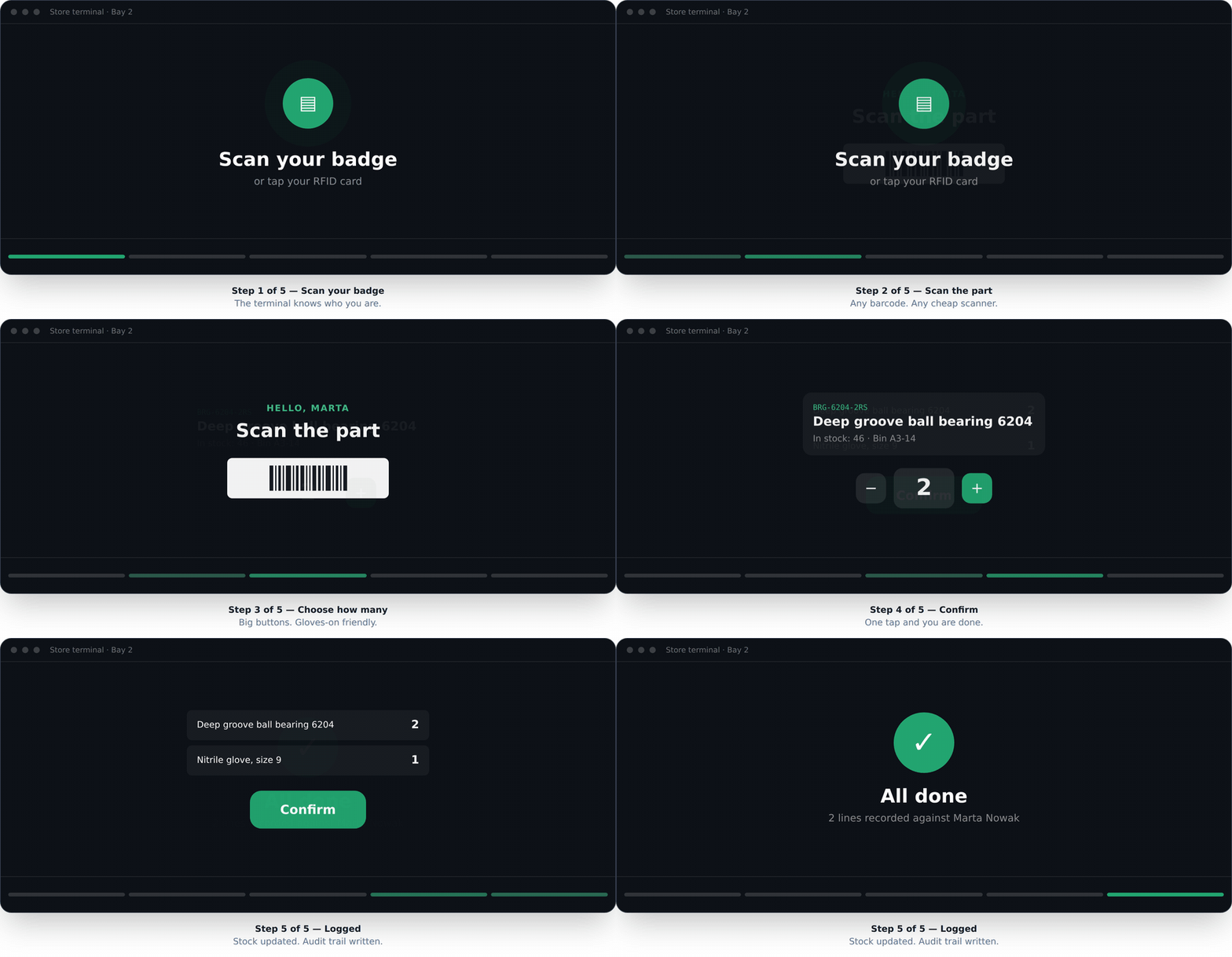
The whole product is one interaction repeated. Here it is — and then try it on your own data, without a sales call.
Scan your badge
or tap your RFID card
Step 1 of 5 — Scan your badge
The terminal knows who you are.
Need to show someone who is not in the room? Download the same sequence as a GIF for an email or a message.
Try it yourself — 30 minutes
Fourteen days, no card, and nobody rings you. There is no sales demo to book — this is the demo, and you drive it.
- 1. Sign up and pick your sector, so the words match your world.
- 2. Import a spreadsheet — the wizard shows exactly what will change first.
- 3. Pair any tablet or spare PC as a terminal.
- 4. Scan a badge and take something out.
Questions we cannot answer here
Several sites, an awkward migration off an existing system, or a procurement process that needs paperwork — those are worth writing to us about.
We do not run sales demos. The trial is the demo: it takes about half an hour to reach a real movement in your own ledger, and that tells you more than we could on a call.
Ask a questionWhat you will need for a real trial
A listYour stock in a spreadsheet. Messy is fine — the importer handles semicolons, currency symbols and dd/mm/yyyy dates.
A screenAny tablet or PC with a browser, in the store room.
A reader (optional)Any USB or Bluetooth barcode or RFID reader that types like a keyboard. From about £30. People can type their staff number instead.